Understanding Web Design Vs. Web Development
What is the Difference Between Web Design and Web Development, And Which Do You Actually Need?
- Design
- Understanding Web Design vs. Web Development
Web Design vs. Dev: What Comes First?
You’ve got the budget, a timeline, and a rough idea of where you want to go. But then the first big question hits:
Do you hire a designer or a developer first?
It’s a common roadblock. If you’re leading marketing or launching a new venture, you’ve probably asked it too.
Design owns the look and feel. Development brings the whole thing to life. But where should you start? Opinions are everywhere, and the lines between the two can get fuzzy fast.
Let’s clear it up.
In this article, we’ll break down what designers and developers actually do, where their roles overlap, when to bring each one in, and why the best websites are built when both work together from day one.
If you want a website that’s not just pretty but actually performs, understanding these roles is step one.
What Is Web Design?
Web design isn’t just about making things look good. It’s about creating a digital experience that feels intuitive, communicates your value fast, and reflects your brand’s personality from the first scroll.
It’s a lot like walking into a high-end restaurant. The lighting, the music, the way you’re guided to your table — all of these set the tone before you even see the menu. UI design works the same way. It shapes how people feel, what they notice, and whether they stick around. The visual and interactive details aren’t just there to look nice. They’re what make the experience click.
What Web Designers Actually Do
At a high level, designers own the visual and experiential side of your website. But behind the scenes, their work goes deeper than just making things look good.
They craft the layout, design user interfaces, and make sure every interaction feels intuitive. Great web designers don’t just follow branding standards; they bring them to life. They’re responsible for the look and feel that shape your visitors’ first impressions and keep them engaged.
Crafting Layouts and User Journeys
A good designer isn’t just picking where the logo goes. They’re mapping out the user journey. From the moment someone lands on your site, they decide what should be seen first, where attention flows next, and how to guide visitors toward the next step, whether that’s exploring a product, signing up, or getting in touch.
Every layout decision has a purpose. Effective designs are built to keep users engaged and moving through the site with ease.
Take a SaaS homepage, for example. A designer might start with a basic wireframe in Figma: a strong header, a sharp value prop, some social proof, and a clear call-to-action. Every section has a job to do. Nothing is there just to fill space.
Selecting Colors, Fonts, and Visual Hierarchy
This is where psychology meets branding. Designers don’t choose colors because they look nice. They pick palettes that build emotion and trust.
A fintech site might lean into navy and muted grays to signal stability and professionalism. A direct-to-consumer brand might go bold with vibrant gradients to feel fresh and energetic.
Typography matters just as much. Fonts like Inter, Helvetica Neue, or Work Sans are popular because they’re clean, modern, and easy to read. But it’s not just about the font itself. It’s about how it’s scaled, spaced, and arranged to guide the eye and support the message.
Building Wireframes, Mockups, and Prototypes
Designers use tools like Figma, Sketch, or Adobe XD to create structured wireframes and polished mockups before a single line of code is written. At this stage, designers create mockups and visual assets to help stakeholders visualize the final product.
These prototypes let stakeholders and developers interact with a simulated version of the site.
This stage is where feedback loops happen fast. Figma, in particular, allows live collaboration and commenting, which speeds up iteration and alignment across teams.
Prioritizing Intuitive, Accessible UX
Accessibility isn’t a nice-to-have. It’s a must.
A skilled web designer ensures color contrast meets WCAG standards, font sizes scale properly, and the site works with keyboard navigation. These choices aren’t just best practices. They make your website usable for everyone.
Tools like Stark in Figma help test contrast throughout the design process. Form fields are built with clear labels and error messages, not just placeholders that vanish when someone starts typing.
And accessibility doesn’t stop at the desktop. Responsive design is the baseline. Great designers go further by tailoring mobile experiences. That might mean collapsing secondary navigation, adjusting CTA placement, or rethinking how animations behave on touch devices.
Aligning Visuals with Brand and Business Goals
Design isn’t just art. It’s strategy.
A designer’s job is to take business goals and turn them into a visual identity that feels cohesive, intentional, and on-brand.
A career page for a fast-growing startup shouldn’t look anything like a luxury skincare site. Great designers understand that. They consider your positioning, your audience, and your objectives from the start.
They’ll use your brand guidelines when they exist or help you build them from scratch. Everything from typography and iconography to illustration style and photography direction is shaped with purpose.
The Tools Designers Use
Figma: The go-to tool for interface design, prototyping, and developer handoff. It supports design systems, live collaboration, and integrates with tools like Zeplin, Storybook, and GitHub.
Sketch: Mac-only, still loved by some legacy teams but increasingly replaced by Figma.
Adobe XD: Good for those already deep in Adobe’s ecosystem, especially if you’re working with Illustrator and Photoshop in parallel.
Adobe Photoshop: Essential for creating and editing visual elements, Adobe Photoshop is a primary software for web and graphic designers to craft and refine images, layouts, and graphics.
Webflow: A visual development tool that lets designers build responsive websites using a visual interface that outputs clean code. Ideal for building out static marketing sites or interactive prototypes without touching code.
WordPress (and themes like Elementor or Kadence): Used by designers who also want to manage simple front-end control without relying fully on development resources. Elementor is a popular website builder platform that enables drag-and-drop editing and theme customization.
There are many tools available for designers, including website builder platforms, that streamline the design and development process.
Skills That Matter (And Why)
UI/UX Design Principles: Understanding spacing, alignment, balance, and flow. A deep understanding of design principles, including color theory and graphic design, is essential for creating effective and visually appealing websites.
Basic HTML/CSS: Knowing how things are built helps designers avoid handoff issues and design within realistic constraints.
Responsive Design Techniques: Not just resizing for mobile, but creating tailored experiences that adapt based on screen size, orientation, and input method.
Accessibility Best Practices: Designing with inclusivity in mind. This includes readable font sizes, logical heading structures, high-contrast elements, and intuitive interactive states.
The best designers don’t just make things look good. Most web designers possess a strong foundation in graphic design and user experience. They make your site easy to use, impossible to ignore, and laser-focused on driving the right actions. Design sets the tone for everything that follows, so getting it right from the start is critical.
What Is Web Development?
If web design sets the stage, web development builds the structure, installs the lighting, and keeps the experience running without a hitch.
Developers handle everything under the hood. They take static designs and turn them into fast, secure, and fully functional websites. It’s the work you don’t see, but users feel every time they interact with your site.
Whether someone is submitting a job application, filtering listings, or just scrolling a homepage, development makes those moments possible. It involves building web applications, managing site architecture, and ensuring the entire experience feels seamless from start to finish.
Front-End Development: Making the Design Work
Front-end developers are responsible for bringing visual designs to life. Their goal is to deliver a seamless user experience across all devices and browsers. They take mockups created in tools like Figma or Sketch and translate them into real, interactive web pages.
Front-end development includes all of the elements that users interact with text, images, buttons, navigation menus, animations, sliders, and forms.
Core Technologies
Front-end development relies on programming languages such as HTML, CSS, and JavaScript to create the user interface and experience.
- HTML structures the content of a page.
- CSS styles the content, including layout, colors, and typography.
- JavaScript adds interactivity, enabling dropdowns, modals, sliders, and more.
Common Frameworks and Libraries
- React is a component-based JavaScript library created by Facebook. It is ideal for building scalable, dynamic interfaces.
- Vue.js offers a lightweight and flexible approach. It is great for smaller projects or teams looking for simplicity.
- Angular is a full-featured framework backed by Google. It is often used in enterprise environments that require structure and scalability.
Performance Optimization
Front-end developers also optimize for performance and usability:
- Lazy loading images to improve page speed
- Code splitting to reduce initial load times
- Accessibility best practices like semantic HTML and ARIA labels
- Testing tools such as Lighthouse and WebPageTest to improve Core Web Vitals
For example:
If your careers page includes a filterable job board, sticky navigation, and animated content blocks, a front-end developer ensures those elements work across all devices.
Back-End Development: Powering the Logic
Back-end development handles everything behind the scenes. It’s the logic, data, and server-side processes that power your website.
This is what makes it possible to store and retrieve data, authenticate users, and process form submissions. When someone uploads a resume, logs into a portal, or gets a confirmation email, that’s all handled by the back end.
Back-end developers use programming languages like Python, Java, and PHP to build and maintain the site’s architecture. They also rely on tools like SQL to manage databases and use FTP to upload and maintain website files.
Core Languages and Frameworks
- PHP is widely used for content-heavy sites and powers platforms like WordPress.
- Python is known for its readability and flexibility, often used with the Django framework.
- Node.js allows JavaScript to be used on the server side and is ideal for real-time applications.
- Ruby on Rails is a mature framework that is still used for fast prototyping and startup-friendly applications.
Common Tasks and Responsibilities
- Connecting to and managing databases
- Processing user input securely
- Managing sessions and user authentication
- Optimizing server performance and uptime
Common Databases
- MySQL and PostgreSQL for structured relational data
- MongoDB for flexible, document-based data storage
Example
On a job application form, the back end processes the data submitted, stores the file in a secure location, creates a user profile, and might trigger a notification to your internal hiring team.
Full-Stack Development: Covering Both Sides
Full-stack developers are capable of handling both front-end and back-end responsibilities. Full stack web developers often have a background in software engineering and may work as software engineers on diverse projects. They are often used in smaller teams or startups where versatility is essential.
A full-stack developer might build a responsive UI in React in the morning and write an API endpoint for form submissions in the afternoon. While deep specialization in both areas is rare, full-stack developers are valuable for moving quickly and maintaining consistency across the project.
Example Stacks
- MERN: MongoDB, Express.js, React, Node.js
- LAMP: Linux, Apache, MySQL, PHP
- JAMstack: JavaScript, APIs, and Markup, often paired with a headless CMS like Sanity or Contentful
Web development guarantees your website is more than just a digital brochure. It brings together logic, speed, security, and interactivity to create a truly dynamic experience.
Design may grab attention, but development builds trust. It’s the difference between a site that just looks good and one that actually performs when it counts.
Where Design and Development Overlap
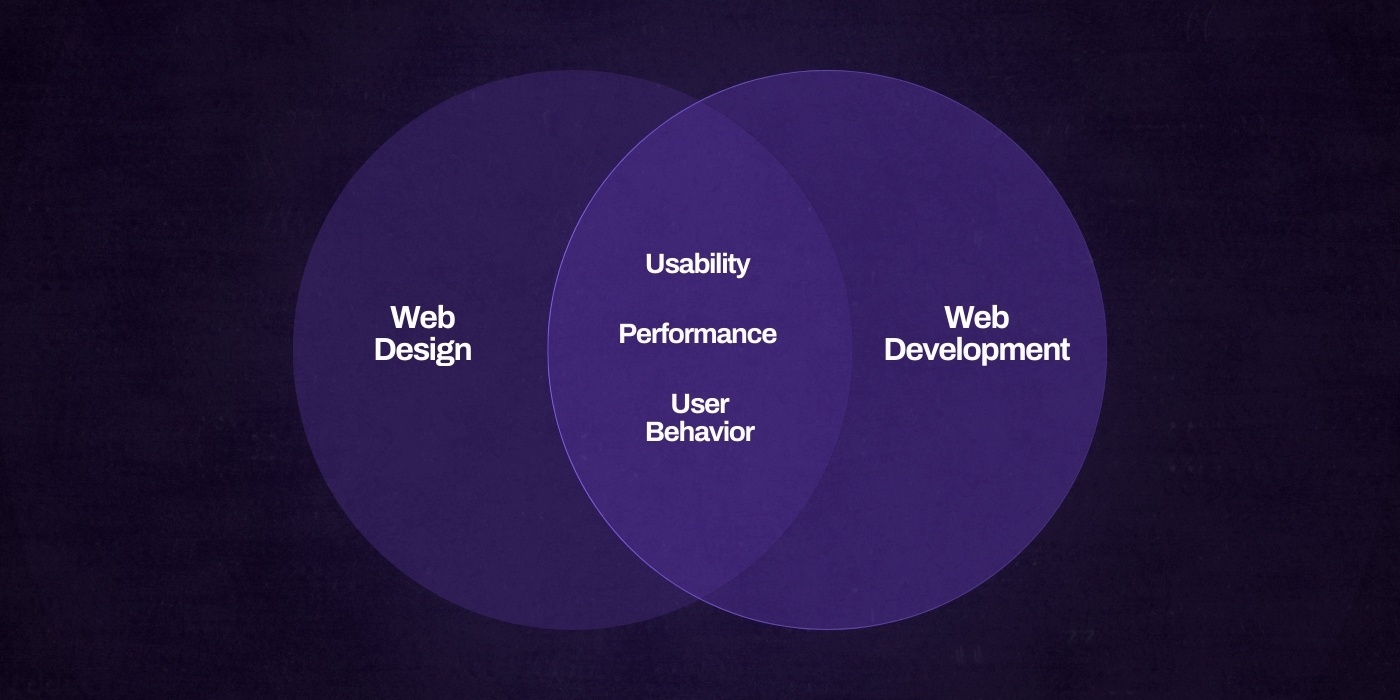
Web design and development might play different roles, but the highest-performing websites are built when those roles overlap with intention.
Understanding both sides of the process is key. It ensures that visual design and technical functionality are aligned from day one. This is where strategy becomes execution, and where creative decisions meet real-world constraints.
At the core, designers and developers share the same goal: a smooth, high-converting user experience. They just come at it from different angles.
A clear development process keeps everyone aligned and leads to stronger outcomes.
Shared Goals, Different Lenses
Designers focus on how a site should look, feel, and guide behavior. Developers focus on how it should function, load, and scale. But both care deeply about the same core outcomes:
Usability: Can users complete tasks easily and without confusion?
Performance: Does the site load fast and respond smoothly?
User Behavior: Where do people click, scroll, drop off, or convert? Tools like heatmaps and analytics help teams track this data and make smarter design and development decisions.
For example, a designer might recommend animated transitions to improve storytelling. A developer will assess how those animations impact performance and might suggest lighter solutions like CSS transitions instead of heavy JavaScript libraries.
When design and development happen in silos, that feedback loop breaks. Design ideas fall apart in build. Features launch that look fine but feel clunky. The best results come when both sides collaborate early and often.
Why Early Collaboration Matters
One of the most expensive mistakes in a website project is looping in development too late.
When developers are handed mockups without context, they’re forced to guess. What’s the goal of this interaction? How should edge cases be handled? What’s functional versus just visual?
That lack of clarity leads to rework, missed opportunities, and breakdowns in communication.
Bringing development into the design phase changes the game. It allows for real-time feedback on what’s possible, what’s scalable, and what can be improved before a single line of code is written. It also minimizes context switching between tools and keeps collaboration smooth.
For example:
If a designer pitches a multi-step application form with animated transitions, looping in a developer early helps shape the idea into a practical solution. They might suggest using conditional rendering in React or bringing in a tool like Formik to handle form state. That kind of input protects performance and makes long-term updates easier.
Tools That Close the Gap
There are tools built specifically to close the gap between design and development. When used right, they eliminate guesswork and reduce friction between teams.
Figma Dev Mode
Figma’s Dev Mode gives developers access to specs, variables, and assets directly in the design file. They can inspect padding, grab code snippets, and download export-ready images without relying on separate handoff documents. It’s faster, cleaner, and removes the need for clunky PDFs.
Storybook
Storybook is an open-source tool for building and documenting UI components in isolation. It gives designers and developers a shared environment to view, test, and refine components without spinning up the full site. It also acts as a living style guide, keeping visual consistency baked into the process.
Component Libraries
Reusable component libraries built with frameworks like React, Vue, or Web Components keep everyone aligned. Designers define the look. Developers build it once. Everyone uses the same version across the site. For example, a button component might include hover states, accessibility features, and size variations—ready to go from the design system to production.
GitHub + Design Tokens
Some teams sync design tokens like colors, spacing, and typography directly into code using GitHub workflows. This keeps brand elements consistent across both design and development and removes the need for manual updates between tools.
The Real Differences Between Design and Development
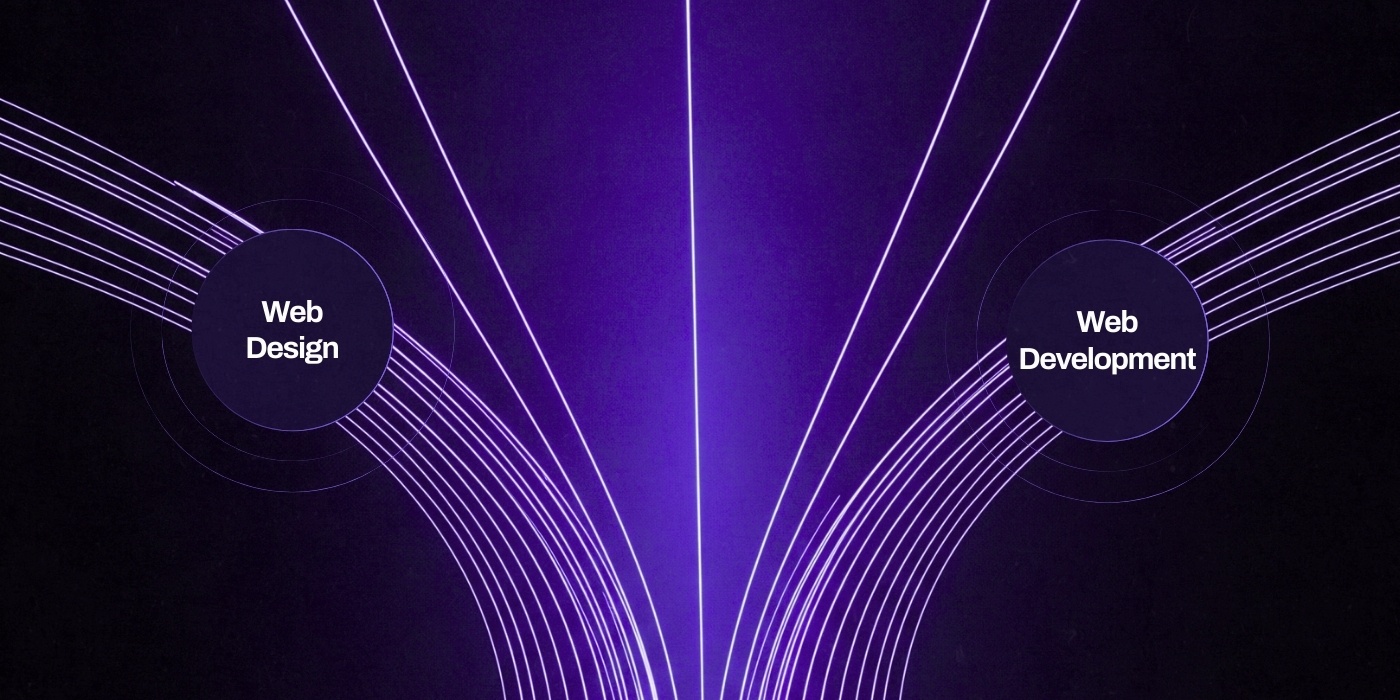
At a glance, design and development might seem like two parts of the same process. But when you dig deeper, the differences are clear and critical.
Designers and developers use different tools, tackle different challenges, and contribute unique value to the final product. Their career paths reflect that. A web or graphic designer follows a different track than a developer, each with its own opportunities for growth and specialization.
If your goal is a website that not only looks great but performs under real business pressure, understanding these roles is a must. Designers focus on visual design, layout, and user experience. Developers handle the technical implementation, performance, and long-term reliability.
Both are essential to building a website that looks good and works even better.
Focus: Vision vs. Execution
Designers shape how the website looks, feels, and guides users through an experience. They make decisions about layout, color, spacing, animation, and interaction based on the brand and user behavior.
Developers bring that vision to life. They build the systems that support the design, ensuring it performs well, loads fast, and works smoothly across devices and browsers.
For example:
A designer might envision a homepage with a full-width hero, a video background, and a floating call-to-action. A developer steps in to make it work. They might suggest compressing the video or loading it conditionally on fast connections to protect performance, especially on mobile.
Responsibilities: Creating the Experience Versus Building the Infrastructure
Designers are responsible for creating the visual and experiential roadmap. That includes:
- Layout and grid systems
- Color palettes and typography
- User flow and wireframes
- Branding and interface components
- Prototypes that simulate the finished product
Their work is essential for creating websites that are visually appealing and user-focused.
Developers take that roadmap and build the technical foundation. They handle:
- Writing clean, scalable code
- Setting up content management systems or frameworks
- Connecting to databases and APIs
- Managing performance and security
- Launching and maintaining the live site
Website development involves coding, integrating systems, and ensuring the site functions as intended.
Without a developer, the design stays a static idea. Without a designer, the build lacks visual polish and intentional user experience.
Tools: Visual Interfaces Versus Code Environments
Designers use tools that allow them to work visually and collaboratively. These include:
- Figma for interface design, prototyping, and component systems
- Adobe XD or Sketch for high-fidelity UI design
- Lottie for lightweight animations
- Stark for accessibility checking inside the design process
Developers work in environments built for writing and managing code. Their toolkit often includes:
- VS Code or WebStorm as their code editor
- React, Vue, or Angular for building front-end interfaces
- Tailwind CSS or Sass for managing styling systems
- GitHub for version control and collaboration
- Postman for testing APIs
- Jest or Cypress for testing functionality
There is little overlap between the tools, which makes a well-structured design-to-dev handoff essential.
Code Expectations: Foundational Knowledge Versus Full Implementation
Designers are not expected to write production code, but the best designers understand how their work will be implemented. Knowing the basics of HTML, CSS, and responsive design allows them to make informed decisions and avoid proposing layouts that break when translated into code.
Developers write the production code that turns those designs into functioning websites. Many developers have a background in computer science, which helps them tackle complex technical challenges. They are responsible for building custom components, integrating third-party tools, setting up databases, and ensuring the site performs well under real user conditions.
Cost and Commitment: Creative Scope Versus Technical Lifespan
Designers often work within a defined scope. They might be engaged for branding, a landing page, or a full website redesign. Hiring a freelance web designer can be a cost-effective solution for smaller projects or specific design needs. Their involvement tends to taper off once design approval is complete.
Developers are usually brought in for the full build and are often needed well after launch for maintenance, optimization, and feature updates.
Rates vary, but in general:
- Designers tend to charge less per hour. Depending on experience and scope, rates can range from $50 to $120.
- Developers typically charge more, especially for custom builds. Rates often range from $75 to $150 or higher.
Attempting to cut corners by hiring only one or the other is where projects fall apart. A great design that cannot be built efficiently will delay timelines. A fast, technically sound site that lacks strong UX will struggle to convert.
Design and development are separate disciplines with different skill sets, but they rely on each other. You need both if you want to launch a website that feels polished, functions smoothly, and delivers results.
When to Hire a Designer, a Developer, or Both
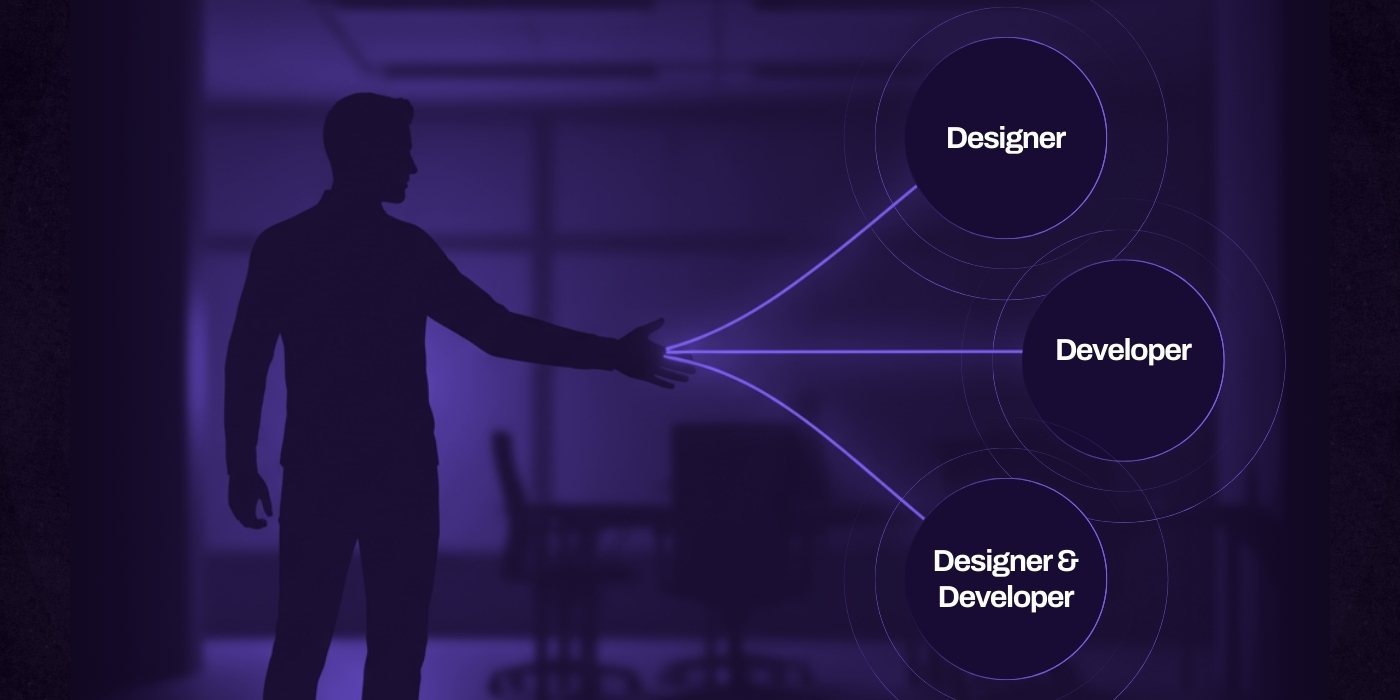
Hiring the right talent at the right time can make or break your web project. Whether you're refreshing a landing page or launching a fully custom web app, knowing when to bring in a designer, a developer, or both is critical for getting the result you actually want.
Many businesses try to shortcut this process, hoping one person can do it all. That almost always leads to design compromises, performance issues, or tech debt you have to clean up six months later.
Below is a breakdown of when each role is essential, based on real-world needs and outcomes.
You Likely Need a Designer When:
1. You’re Refreshing Your Brand’s Visual Identity
A designer is the first call if your brand feels outdated or inconsistent across platforms. They will help define your digital presence by aligning visuals with your brand values, audience expectations, and industry positioning.
This includes:
- Choosing new typography and color palettes
- Designing reusable components like buttons, cards, and icons
- Creating brand guidelines for digital use
- Redesigning core pages like the homepage, careers page, or product overview
Tools in play: Figma for layout and prototyping, Lottie for lightweight animations, Illustrator for custom iconography
2. Your UX Needs Work
High bounce rates, low engagement, or confusing navigation are symptoms of UX problems. A designer can audit your current experience and identify what’s turning users away.
Common outcomes include:
- Cleaner page layouts with better visual hierarchy
- Simplified navigation or new menu architecture
- Adjusted mobile responsiveness for better usability
- More strategic placement of CTAs to guide behavior
Pro tip: Look for a designer with real UX experience, not just visual design skills. Bonus if they can back decisions with user testing or heatmap data.
3. You Want to Test New Landing Pages or Campaign Concepts
Designers are ideal for rapid iteration and experimentation. If your team is running new paid campaigns or A/B tests, a designer can quickly mock up multiple variations of a landing page that align with different audience segments or messaging angles.
They can also prepare these in Webflow or as dev-ready Figma prototypes for fast implementation.
You Need a Developer When:
1. Your Site Requires Custom Functionality or Integrations
Designers can map out how a feature should look, but if you need it to do something, you’ll need a developer. This includes:
- Building dynamic job boards that filter listings in real time
- Connecting to APIs like Greenhouse, Salesforce, or HubSpot
- Creating gated content or user login functionality
- Implementing third-party services like Stripe, Calendly, or Plausible
Tools in play: React or Vue for interactivity, Node.js for back-end logic, Zapier or Make for workflow automation
2. You Need Performance Upgrades or Technical SEO Fixes
If your site is slow, bloated, or not ranking the way it should, you’re dealing with infrastructure issues. Developers can also implement search engine optimization best practices to improve site visibility. A developer can run audits, identify bottlenecks, and implement the necessary fixes.
This includes:
- Optimizing image loading with WebP or AVIF formats
- Compressing code and removing unused libraries
- Implementing lazy loading and caching strategies
- Adding structured data and SEO-friendly routing
Tools in play: Lighthouse, Screaming Frog, Google PageSpeed Insights, Vercel or Netlify for hosting optimizations
3. You’re Building from Scratch
If you’re launching a new platform or product that doesn’t exist yet, a developer is essential. This goes beyond templates or CMS themes. You need someone who can architect the back-end, structure the front-end, and prepare for scale.
Look for someone with experience in the specific stack you’re using. If you’re unsure what stack to use, a senior developer can help you make the call based on goals and budget.
You Definitely Need Both When:
1. You’re Doing a Full Website Redesign or Launch
A new site is never just a design or development project. It is both. You need a designer to rethink the UX, layout, and branding, and a developer to build it in a way that is fast, scalable, and easy to maintain.
If you skip either role, you will either get a beautiful mockup that can't be implemented cleanly or a technically sound site that feels generic and uninspired.
Ideal process: Designer and developer work in parallel, using a shared design system, collaborative tools like Figma Dev Mode, and a clear feedback loop.
2. You’re Building an E-commerce Platform or Web App
When revenue or user data is at stake, design and development both need to be dialed in.
Building mobile apps is a perfect example. Designers and developers have to work closely to deliver a seamless experience with real functionality behind it.
The designer’s job is to make sure the interface is intuitive, conversion-focused, and easy to navigate. The developer’s role is to ensure that key interactions, like checkout flows, account creation, and API calls, work reliably and stay secure.
When both sides are aligned, the result isn’t just a polished app. It’s a product that performs where it matters most.
Use case: A custom Shopify build, a gated SaaS dashboard, or a personalized onboarding experience
3. You Want a Polished, High-Converting Experience That Performs
If your goal is a best-in-class site that looks great and performs across all devices, browsers, and user types, there is no shortcut. You need a cohesive design and a thoughtful build that work together.
This is especially true for brands operating in competitive markets where credibility, trust, and usability directly impact revenue or recruitment.
Hiring the right role at the right time saves you money, avoids project friction, and helps your site actually deliver on its goals. You do not need to hire a large in-house team to get it right, but you do need to understand where design stops and development begins, and when they should overlap.
Getting Designers and Developers to Work Together
One of the biggest mistakes teams make is treating design and development as two separate, linear phases. Design finishes, then development starts. That approach creates bottlenecks, misalignment, and rework that burn time and budget.
If you want a website that looks great, performs well, and launches without drama, collaboration cannot be an afterthought. It needs to be intentional and built into the process from day one.
Bring Both Roles in Early
Designers need to understand technical constraints. Developers need to understand design intent. If either party is missing during early planning, you are guaranteed to lose time later fixing things that should have been aligned upfront.
For example, if a designer creates an ultra-detailed animation sequence that will require WebGL or advanced JavaScript to implement, it is better for the developer to weigh in during wireframing. They can offer performance-friendly alternatives or explain where those effects could cause issues on low-powered devices.
Early involvement also builds ownership across both roles. Developers feel invested in the creative direction, and designers understand what’s actually possible within the stack.
Use a Shared Design System
Design systems are more than mood boards. A good one contains reusable styles, spacing rules, typography scales, and interaction patterns that both design and development teams can use as a single source of truth.
When your design system is aligned with your codebase, you eliminate thousands of micro-decisions that create visual inconsistency. You also move faster.
- Designers can build pages using pre-approved components instead of reinventing layouts from scratch.
- Developers can build with confidence, knowing their components match the design spec exactly.
Tools that support this workflow:
- Figma libraries with named components and auto layout
- Storybook for documenting and testing live React or Vue components
- Tokens Studio for Figma to sync design variables like spacing, font sizes, and colors directly to code
Create Feedback Loops That Go Both Ways
Developers should never feel like they are blindly following a blueprint. Designers should never find out too late that a component was changed because it was “too complicated.”
A strong working relationship includes space for both sides to push back:
- Developers can raise flags about implementation complexity, performance impact, or mobile behavior.
- Designers can push for UX integrity, consistency, and brand alignment.
Use short async video walkthroughs in tools like Loom to explain design intent. Use Slack channels for quick feedback. Run regular syncs between design and dev leads to discuss roadblocks, not just deliverables.
The earlier the issues are surfaced, the less expensive they are to fix.
Use Tools That Make Handoff Clear and Collaborative
Even the best design won't translate correctly if the handoff is ambiguous. Use tools that allow both teams to see the same things in the same context.
Use Figma’s Dev Mode
Dev Mode gives developers precise values for spacing, typography, breakpoints, and interactions. They can inspect elements, pull code snippets, and download assets—without having to ask for exports or dig through layers.
Use Zeplin for Spec Documentation
While Figma is becoming the dominant tool, Zeplin is still valuable for teams who want version-controlled design specs tied directly to tickets or milestones.
Use GitHub for Collaboration
Keep your component code, issues, and documentation in the same repo. Use pull requests as an opportunity for developers to review UI against design specs, not just against code logic.
Use Storybook for UI Testing
Storybook allows teams to test and document interface components in isolation. It becomes a live reference for both designers and developers, helping QA teams understand what should happen in different states.
Set Clear Responsibilities and Timelines
Design and development move at different speeds. Designers can iterate quickly. Developers have dependencies and integration risks. Aligning those two timelines prevents missed expectations and launch delays.
Create a shared workflow that includes:
- Page-level checklists of what is needed before development begins
- A review process where developers validate a design for feasibility
- Clear ownership over who updates shared components, tokens, and documentation
- A protocol for flagging and resolving scope creep before it hits production
Pro tip: Look for a designer with real UX experience, not just visual design skills. Bonus if they can back decisions with user testing or heatmap data.
The goal isn’t just to avoid conflict. It’s to create momentum. When designers and developers work in sync, projects move faster, quality improves, and end users benefit from a polished, consistent experience. That alignment is what separates average websites from high-performing digital products.
Why This Matters to Your Business
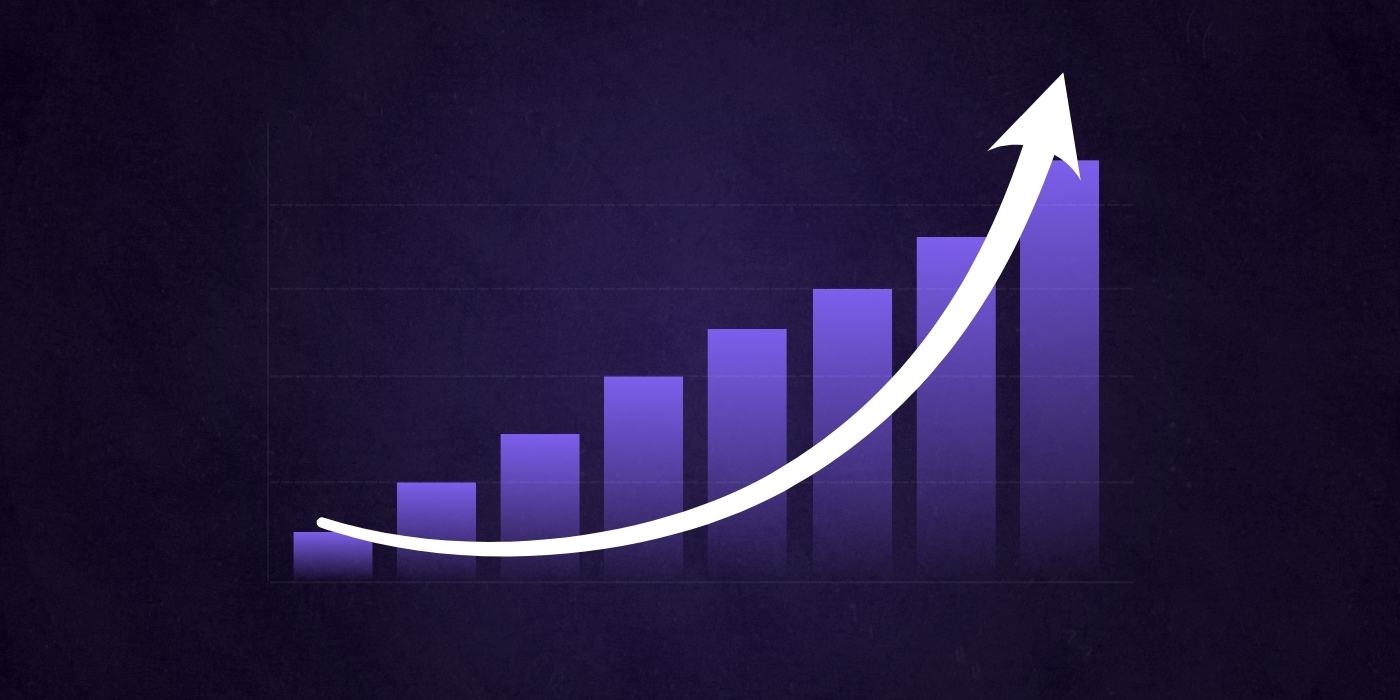
Design and development aren’t just technical steps in a website project. They’re core parts of your customer experience strategy.
Together, they shape how people see your brand, engage with your content, and decide whether to take the next step. Strong design choices, like color, typography, and layout, play a key role in building trust and creating a positive first impression.
But great design alone isn’t enough. A site that looks polished but fails under pressure will lose credibility. A site that runs smoothly but feels off-brand won’t make a connection.
When visual design and technical performance are aligned, your website does what it’s meant to do: turn visitors into customers, applicants, or leads.
What Happens When Design and Development Work Together
Higher Conversion Rates
When your layout is clear, your CTAs are well-placed, and the page loads fast, users move through the site without hesitation. That smooth path to action boosts conversion rates across every channel.
For example:
A marketing team launches a new landing page for a product campaign. The designer creates a clean, mobile-first layout with a strong headline, social proof, and a focused call to action. The developer builds it with Next.js to ensure instant load times and uses server-side logic to track form submissions. The result is a page that looks sharp and performs even better: driving a 35 percent increase in conversions compared to the previous version.
Stronger User Engagement
Design defines the experience. Development brings it to life.
When both are done well, users stay longer, scroll deeper, and engage more.
Features like scroll-triggered animations, smart filters, and custom transitions can boost time on site and lower bounce rates. But those details only work when designers and developers collaborate closely to match visual ideas with technical execution.
Pro tip: Using Framer Motion with a React front end lets teams build smooth, responsive interactions without slowing down performance.
Better SEO Performance
Google rewards websites that are fast, mobile-friendly, and accessible. Hitting those marks takes both good design and smart development.
A well-designed layout needs lightweight code, optimized images, semantic markup, and a clean heading structure to perform at its best.
Example
A designer sets a typography scale that’s readable across all screen sizes. The developer supports it with lazy loading and minified scripts to improve load speed. The result is a Lighthouse score in the 90s and a noticeable lift in organic rankings for high-priority service pages.
A Competitive Edge
Most websites get the job done. Very few leave a lasting impression.
When your design is on-brand and your code is clean, you create a digital experience that sets you apart. That matters when a buyer is weighing their options or when a top candidate is deciding whether to apply.
You’re not just building a website. You’re building credibility, clarity, and confidence in what you offer.
The Cost of Getting It Wrong
When design and development are disconnected, the result isn’t just a mediocre website. It’s a string of hidden costs that hit your business where it hurts.
Choosing the right development expertise is critical. Not all developers do the same thing, and mismatched skills can slow down even the best designs.
Wasted Marketing Budget
Sending traffic to a broken or confusing site is like pouring water into a leaky bucket. Ads, emails, and social campaigns won’t convert if the landing page is slow, off-brand, or hard to use.
Poor User Experience
Users don’t report bugs or wait for fixes. If navigation is clunky or interactions break on mobile, they leave and don’t come back.
Redesign Cycles That Burn Time and Budget
Without strong collaboration between design and development, teams waste hours rebuilding features that were misaligned from the start. That leads to delays, scope creep, and unexpected costs.
Loss of Credibility and Leads
Your website is often the first impression. If it feels unfinished, loads slowly, or doesn’t reflect the quality of your brand, trust breaks fast. That can cost you leads, job applicants, and opportunities that never make it through the door.
Bringing design and development together is not just a best practice. It is a business decision that affects revenue, lead quality, recruiting, and long-term growth. When these two roles work in sync, your website becomes a high-performing asset instead of a liability.
Strong Sites Are Built by Teams, Not Silos

Design makes it beautiful.
Development makes it real.
Each plays a distinct role, and depending on your goals, you may need one more than the other. But when you bring them together with intention, your website becomes more than a collection of pages. It becomes a high-performing asset.
Whether you’re building from scratch, optimizing what exists, or planning a full redesign, the difference between a good site and a great one is alignment. When design and development are in sync from day one, the end result is faster to launch, easier to scale, and built to convert.
Website Improvement Plan
Want a free, customized roadmap of website improvements?
Want to know exactly what should be improved on your website before you embark in your next redesign? Request a session with one of our experts below (totally free, no strings attached)